Move tables across databases. Schema, data and all.
A desktop import/export tool that copies tables, indexes, constraints, sequences, partitions and rows between relational and OLAP databases, directly, as copies in the same schema, or through a self-describing SQL or Parquet export package you can import later.
INSERT statements are easy. Everything around them is not.
Dialects disagree
Types, identity columns, default values and literals differ in every database.
→ The target dialect translates them.
Old servers refuse new SQL
Oracle 11g has no identity, SQL Server 2008 no OFFSET, PostgreSQL 9 no partitions.
→ Version subclasses generate compatible SQL.
Keys and indexes go missing
Data arrives, but primary keys, foreign keys, sequences and comments do not.
→ Table-level objects move together.
Scripts become monsters
Gigabyte data.sql files and BLOB literals that break 4000-byte limits.
→ 10 MB parts and LOB files.
Values get corrupted
Shifted timestamps, overflowing unsigned numbers, garbled bits and money.
→ A portable value pipeline.
Features
Everything a table needs on the other side
Any-to-any
Every source/target combination, verified by tests.
Version-aware
Dialects picked by detected or selected server version.
Keys & constraints
Primary keys, indexes, foreign keys, comments and sequences.
Partitions
PostgreSQL, MySQL, Oracle and SQL Server partitioning preserved.
Export packages
SQL files, LOB files and manifest.json, split at 10 MB.
Verified imports
Status, target type and SHA-256 checked before running.
Progress you can see
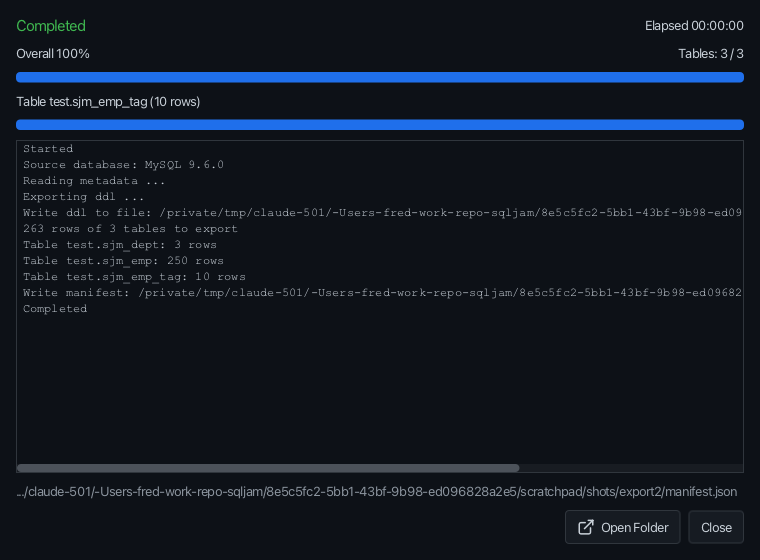
Overall percentage, per-table progress, error log and cancel.
Dark by default
A modern JavaFX UI with 7 switchable themes.
Parquet packages
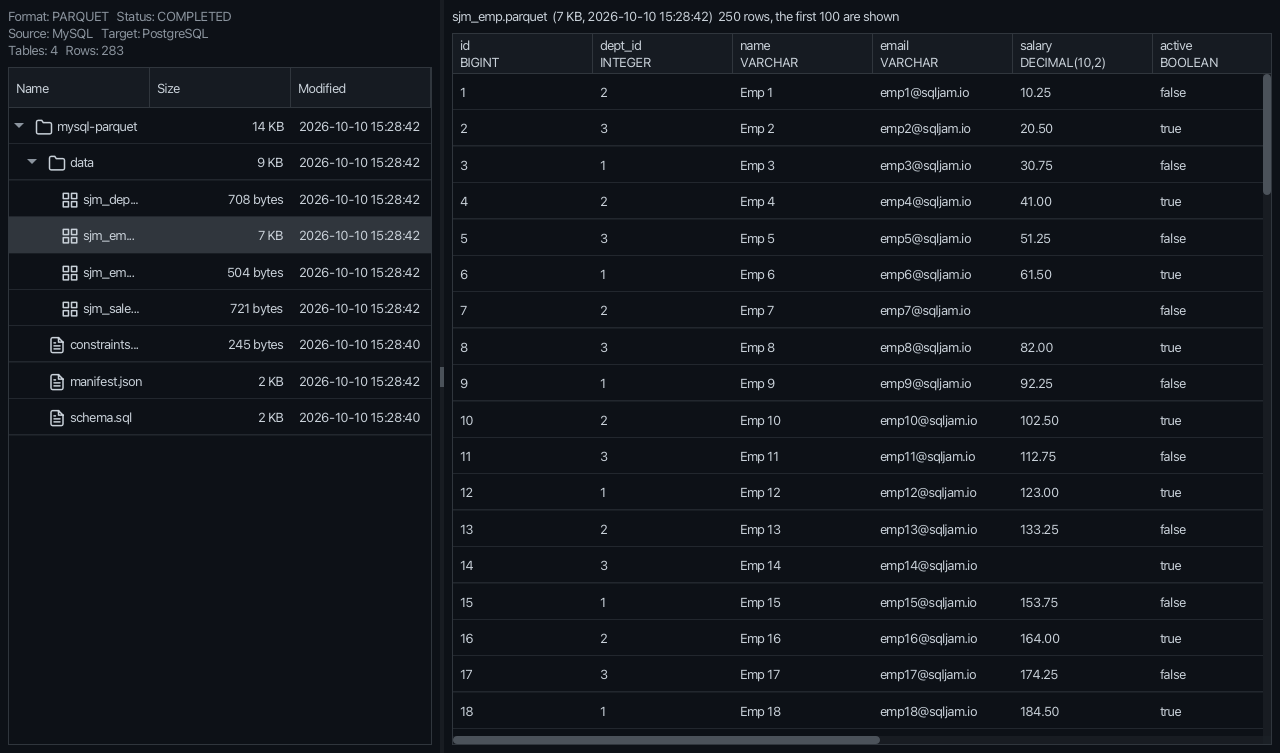
Columnar export packages and Parquet files of other tools, through an embedded DuckDB.
OLAP sources
DuckDB and ClickHouse next to the relational databases.
Query & export
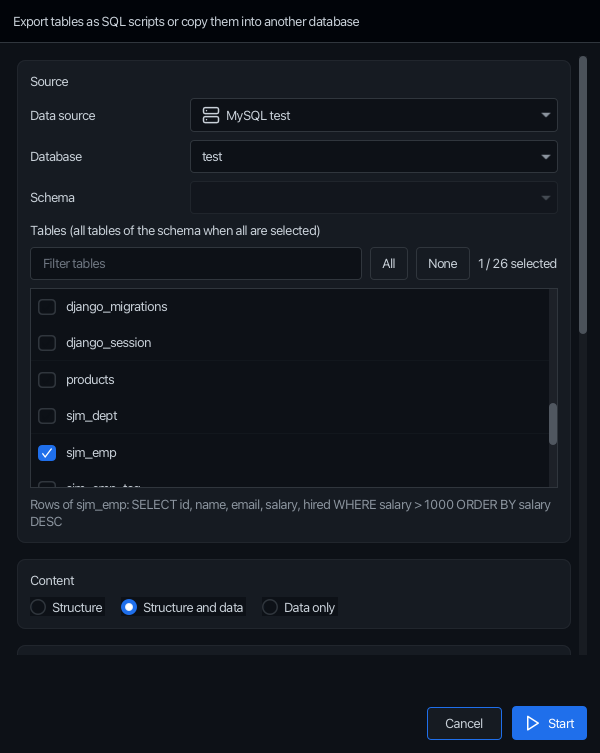
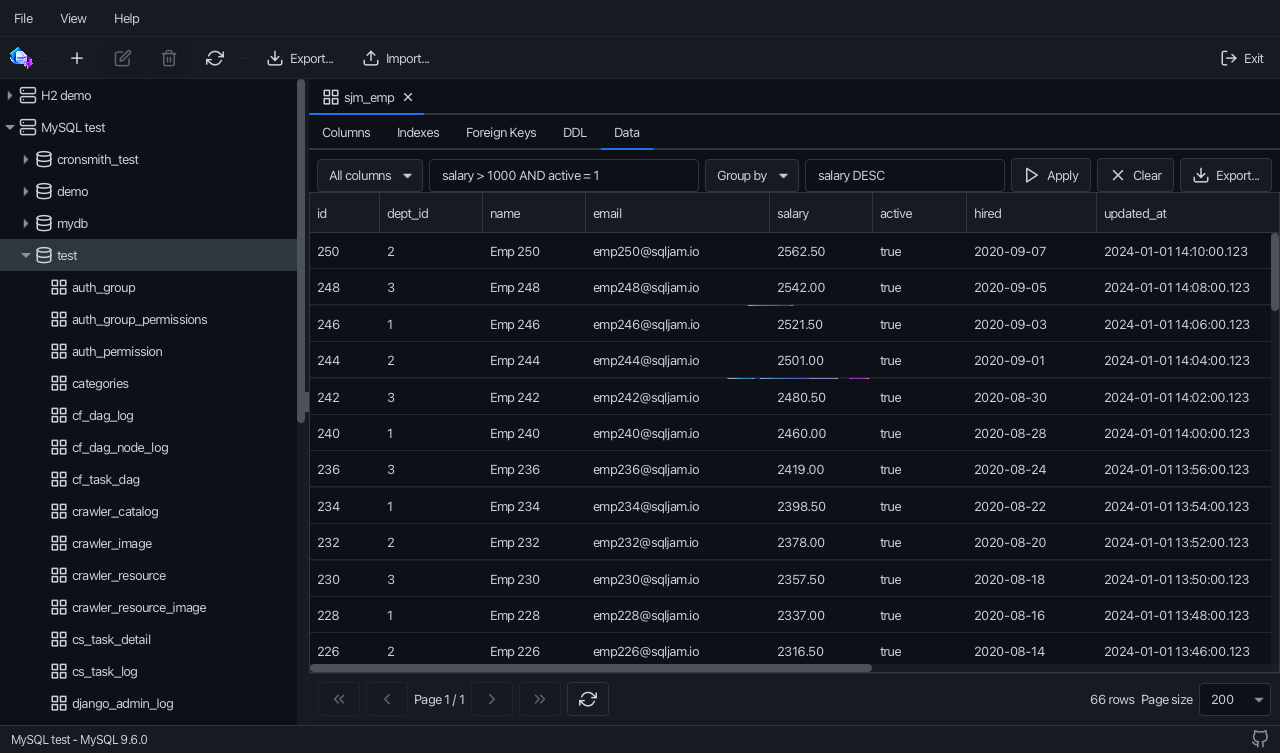
Columns, WHERE, GROUP BY and ORDER BY in the data viewer, then export just those rows.
Copies in place
Copy tables inside the same schema with names like {table}_copy.
How it works
Read once, generate for any target
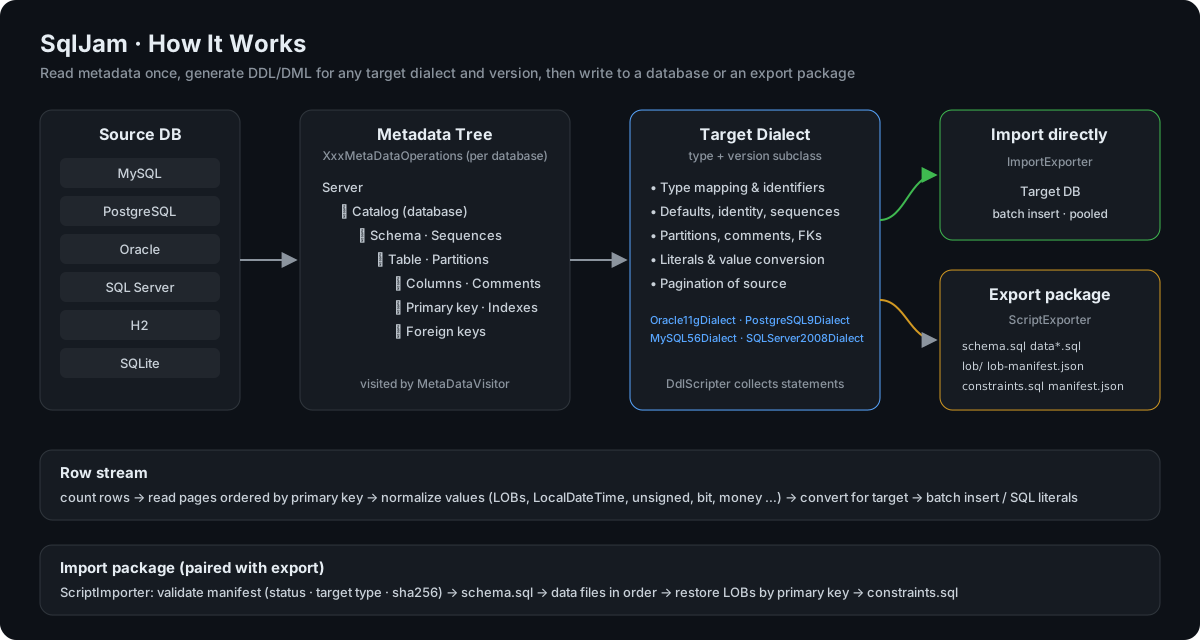
SqlJam builds a metadata tree of the source, renders it with the dialect of the target type and version, then streams rows to a database or an export package.
Dialect: DbType.createDialect(major, minor) picks e.g. Oracle11gDialect.
3
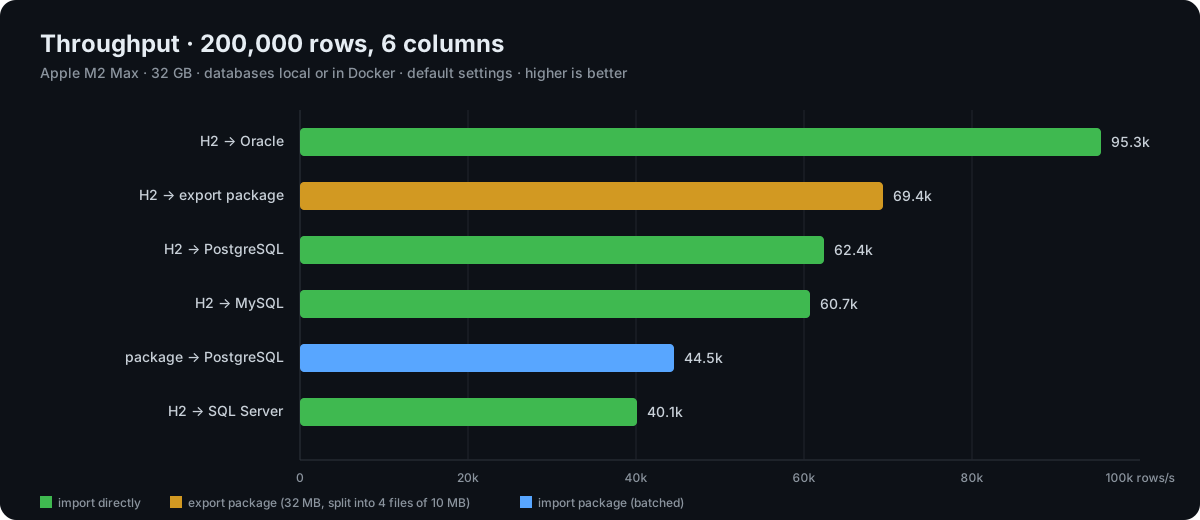
Rows: counted, paged by primary key, normalized and written in batches, or written to Parquet by an embedded DuckDB.
Quick start
Running in two minutes
Java 17 is all you need on Windows, macOS and Linux. JavaFX and every JDBC driver are bundled.
bash
git clone git@github.com:paganini2008/sqljam.git && cd sqljam
./mvnw -DskipTests package       # Windows: mvnw.cmd, output goes to bin/
bin/sqljam.sh                    # Windows: bin\sqljam.bat, or double click the jar of your platform
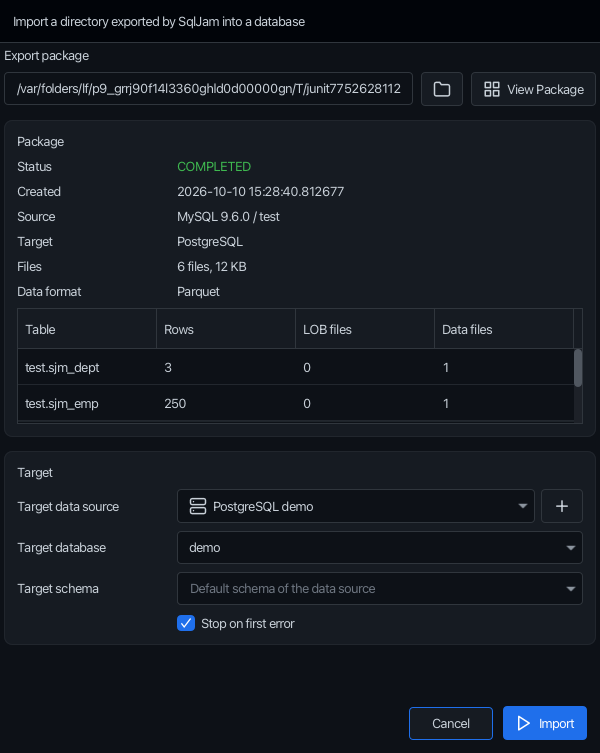
Copy straight into another data source, or create one on the spot with the + button next to it. Target schemas are created, identities continue from the imported max value.
target.setDbType(DbType.SQLSERVER);
target.setTargetSchemaName("hr");   // created if missing
importer.exportDdlAndData();
The manifest decides: only data sources of the exported target type are offered, files are checked by SHA-256 and run in order.
ScriptImporter importer = new ScriptImporter(connection, DbType.POSTGRESQL);
importer.importDirectory(new File("export"));
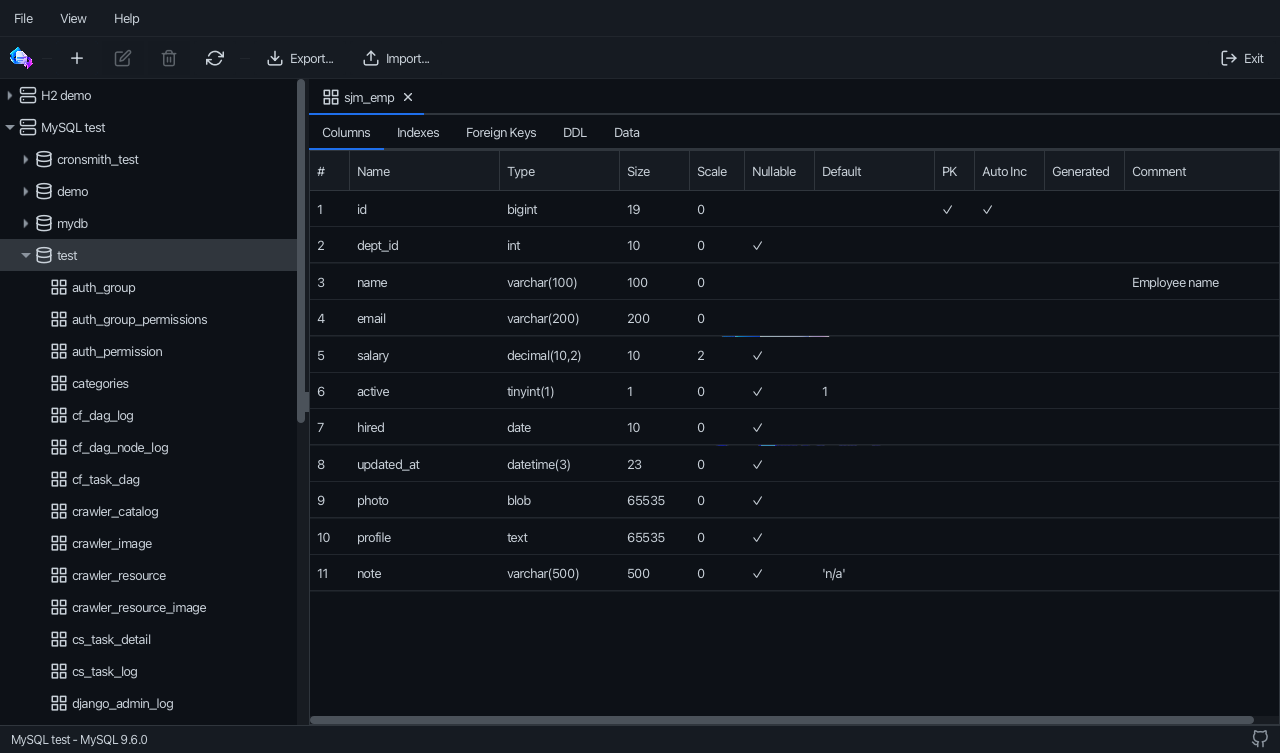
Browse databases, schemas and tables. Narrow the rows with columns, WHERE, GROUP BY and ORDER BY, then export just those rows. A missing target table is created with the selected columns.
source.getTableQueries().put("EMPLOYEES", new TableQuery(columns,
        "SALARY > 1000", null, "SALARY DESC"));
target.setTableNamePattern("{table}_copy");   // copies in the same schema
Export packages of Parquet files, look inside them with sizes, times and previews, and load Parquet files of other tools into any table.